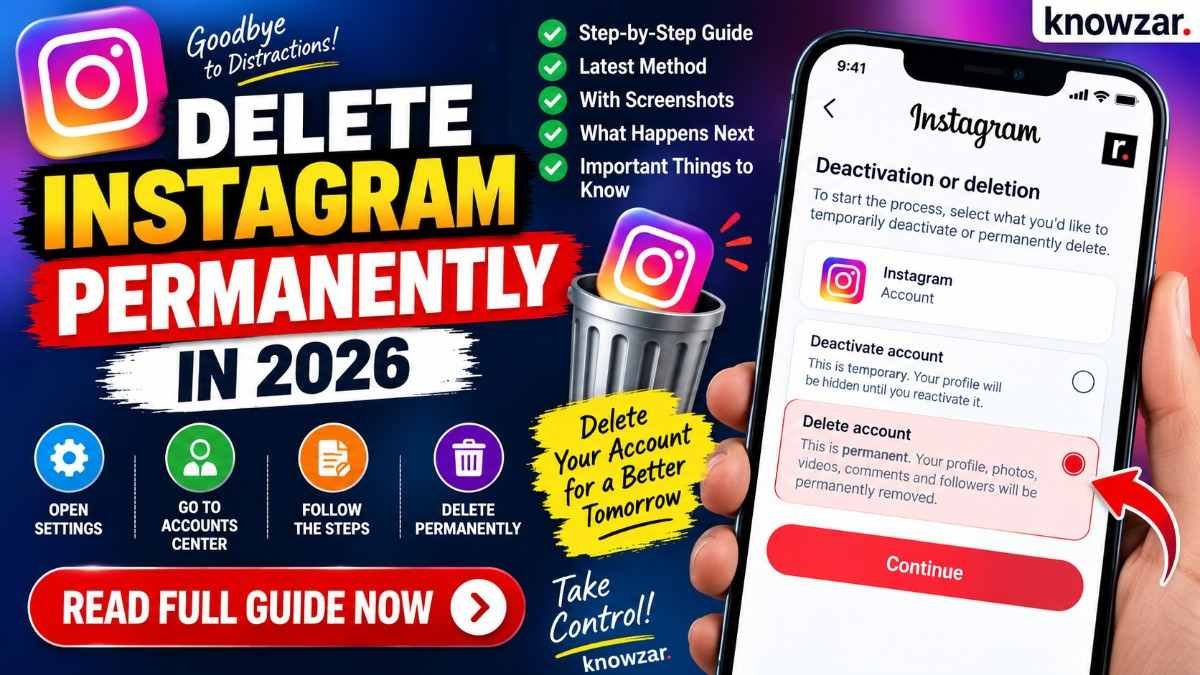
There comes a point when you simply want to leave Instagram behind. Maybe you no longer use the account, want to start fresh, or just don’t want your photos, followers and old posts sitting online anymore.
Whatever the reason, deleting an Instagram account permanently is different from simply uninstalling the app. Removing Instagram from your phone does not remove your account.
In 2026, Instagram manages account deletion through Accounts Center, where Meta groups account management, deactivation and deletion options.
Here’s the complete process, including what happens after you request deletion and what you should do before making the decision.
Delete vs Deactivate: Know the Difference
Before deleting your Instagram account, make sure you choose the option you actually want.
Deactivation temporarily hides your Instagram profile. Your account and information remain stored, and you can return later.
Deletion, on the other hand, starts the process of permanently removing your Instagram account and its associated content.
So if you are simply taking a break, deactivation makes more sense. If you are completely finished with Instagram, deletion is the option to choose.
What Happens When You Delete Instagram?
Deleting your Instagram account does not mean that everything disappears the second you tap the button.
Instagram provides a period during which you can change your mind. If you log back into the account during the deletion period and cancel the request, the deletion process can be stopped.
After the deletion period expires, the account and its associated information are permanently removed and cannot normally be recovered.
That is why it is worth thinking about your decision before confirming deletion.
How to Delete Your Instagram Account Permanently in 2026
The easiest way is through Instagram’s Accounts Center.
Step 1: Open Instagram
Open the Instagram app and log into the account you want to delete.
If you have multiple Instagram accounts connected to the same Meta Accounts Center, make sure you are working with the correct account.
Step 2: Open Your Profile
Tap your profile picture in the bottom-right corner.
Then open the menu from the top-right corner of the screen.
Step 3: Go to Accounts Center
Open Settings and activity and look for Accounts Center.
Meta has moved many account-management functions into Accounts Center, so you may not find the deletion option directly under the older Instagram settings menus.
Step 4: Open Personal Details
Inside Accounts Center, select:
Personal details → Account ownership and control
This section contains options related to managing your account, including deactivation and deletion.
Step 5: Select Deactivation or Deletion
Tap Deactivation or deletion.
If you have more than one account connected, Instagram may ask you to select the account you want to manage.
Choose your Instagram account.
Step 6: Choose Delete Account
You will normally see two options:
Deactivate account
or
Delete account
Choose Delete account if you want to permanently remove your Instagram account.
Then tap Continue.
Step 7: Confirm Your Decision
Instagram may ask why you want to delete the account and may show alternatives such as temporarily deactivating it.
Continue through the prompts and enter your password if requested.
Finally, confirm the deletion request.
Your account will then enter the deletion process.
Can You Delete Instagram Without the App?
Yes.
You don’t necessarily need to use the Instagram mobile app. Account deletion can also be initiated through Instagram’s web interface and Meta’s account-management system.
This can be useful if you have trouble finding the option inside the mobile application.
The important thing is to make sure you are logged into the correct Instagram account before confirming deletion.
What Happens After You Request Deletion?
This is the part many users misunderstand.
Your account does not necessarily disappear permanently the moment you submit the deletion request.
There is a period during which you can reverse the decision. If you change your mind during that period, logging back into the account can provide an option to cancel the deletion.
Once the applicable deletion period has passed, Instagram begins permanently removing the account and its information.
The exact timing of deletion can also vary depending on the systems involved, so don’t assume that every piece of information disappears at precisely the same moment.
Will Deleting Instagram Delete Your Photos and Videos?
Yes, permanent account deletion is intended to remove the content associated with your Instagram account.
That can include:
- Photos
- Videos
- Reels
- Stories
- Comments
- Likes
- Followers and following information
- Profile information
- Other account-associated content
If there is anything you may want later, save it before deleting your account.
Download Your Instagram Information Before Deleting
This is one step you shouldn’t skip if you have used Instagram for years.
Before deleting your account, consider downloading a copy of your information through Instagram’s data-download tools.
You may want to preserve:
- Photos
- Videos
- Messages
- Comments
- Profile information
- Other account data
Once the account has been permanently deleted, recovering that information can become impossible.
What If I Only Want a Break From Instagram?
You don’t necessarily need to delete your account.
If you’re tired of Instagram but think you might return later, deactivation is the safer option.
When you deactivate your account, your profile is hidden while your account remains available for you to reactivate later.
This is particularly useful if you’re unsure whether you want to leave Instagram permanently.
What If I Can’t Find the Delete Option?
Instagram’s settings can change depending on the app version, device and Meta account configuration.
If you cannot find the option, start from Accounts Center rather than searching through every Instagram setting.
Look for:
Accounts Center → Personal details → Account ownership and control → Deactivation or deletion
Also make sure that:
- You are logged into the correct account
- Your Instagram app is updated
- You have access to the account
- You know the account password
Can You Delete an Instagram Account You Can’t Log Into?
Normally, you need access to the account to request its deletion.
If you have forgotten your password, recover access first using Instagram’s account-recovery process. Once you regain access, you can follow the normal deletion procedure.
If the account has been hacked, the priority should be recovering and securing the account rather than creating a new account and assuming the old one will disappear.
Things to Do Before Deleting Instagram
Before you confirm permanent deletion, take a minute to check these things.
Save important content. Download photos, videos and other information you want to keep.
Check connected accounts. If you use Instagram to log into another service, make sure deleting Instagram won’t affect your access.
Tell people who need to contact you. If Instagram is one of your main communication channels, give important contacts another way to reach you.
Check subscriptions and business activity. If you run a professional account, manage collaborations, advertisements or other business-related activities through Instagram, make sure everything is settled before deletion.
Frequently Asked Questions
Can I permanently delete my Instagram account in 2026?
Yes. Instagram allows users to request permanent account deletion through its account-management settings, including Accounts Center.
Does uninstalling Instagram delete my account?
No. Uninstalling the Instagram application only removes the app from your device. Your Instagram account continues to exist.
How do I delete Instagram permanently from my phone?
Open Instagram, go to your profile and Settings and activity, open Accounts Center, then go to Personal details → Account ownership and control → Deactivation or deletion. Select your Instagram account, choose Delete account, and follow the confirmation steps.
Can I recover my Instagram account after requesting deletion?
There is a limited period in which you can cancel the deletion request. If you decide to keep the account, log back in and look for the option to cancel the deletion before the deletion period expires.
What happens to my Instagram followers after deletion?
Your Instagram profile is removed as part of the deletion process, so your followers will no longer be connected to the deleted account.
Will my Instagram messages be deleted?
Account deletion removes your account and associated information, but message visibility for other participants can work differently because copies of conversations may exist in other users’ inboxes.
Can I temporarily deactivate Instagram instead?
Yes. If you’re not sure about permanently leaving Instagram, deactivation is the better choice because you can return later.
Can I delete Instagram without deleting Facebook?
Yes. Instagram and Facebook can be connected through Meta’s Accounts Center, but deleting an Instagram account does not automatically mean that your Facebook account must also be deleted.
How long does Instagram take to permanently delete an account?
Instagram provides a period after a deletion request during which the request can be cancelled. Once that period expires, permanent deletion begins. Some information may take additional time to be fully removed from backup systems.
Should I download my Instagram data before deleting my account?
Yes. If you have photos, videos, messages or other information you want to preserve, download your information before confirming permanent deletion.
Final Thoughts
Deleting Instagram permanently isn’t complicated. The important part is knowing the difference between deleting the account and simply removing the app.
If you’re absolutely certain you want to leave Instagram, go through Accounts Center → Personal details → Account ownership and control → Deactivation or deletion and choose Delete account.
If you’re only taking a break, don’t make a permanent decision for a temporary feeling. Deactivation gives you a way back.
And before you delete anything, save the memories you actually want to keep. Once an account is permanently removed, getting that content back may not be possible.