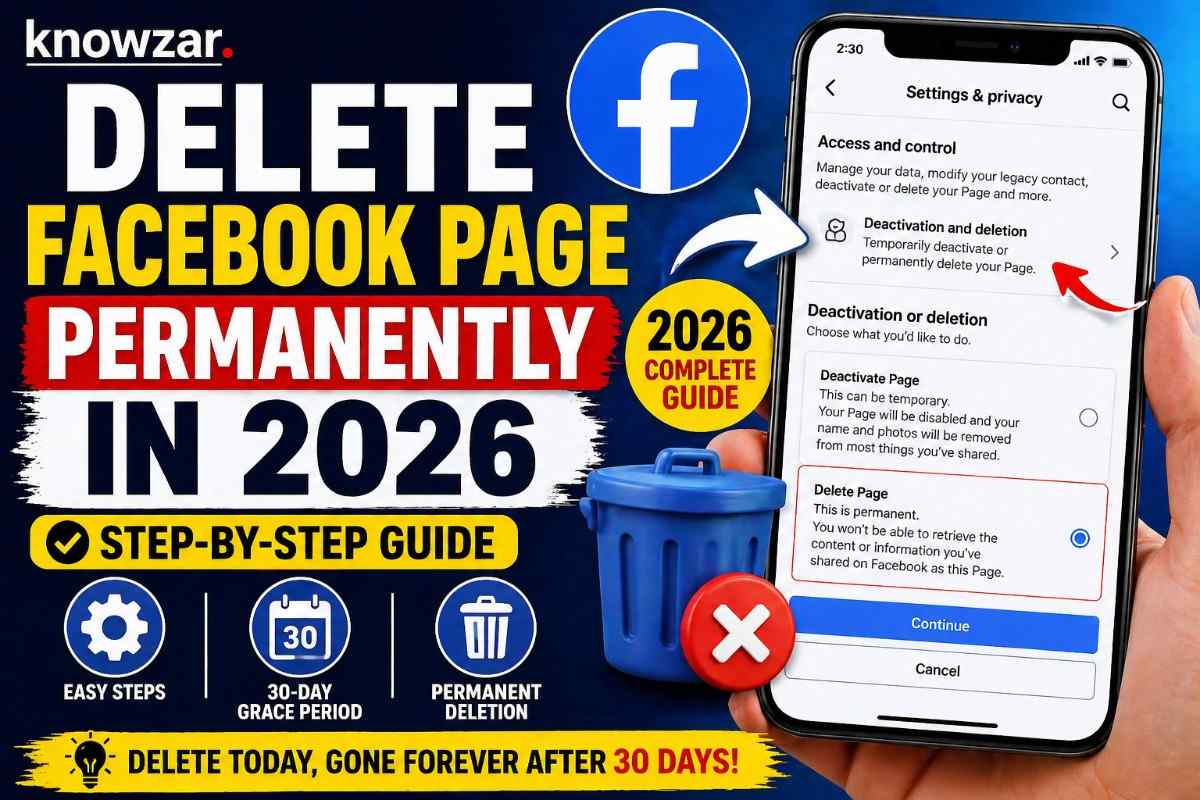
To delete a Facebook page permanently in 2026, go to Settings, select Access and Control, choose Deactivation and Deletion, and confirm deletion. The page will be permanently removed after 30 days. Deleting a page is not instant. There is a waiting period, and during that time you can still reverse your decision.
This guide explains exactly how it works, step by step, so you don’t get stuck or make a mistake.
Understanding How Page Deletion Works
On Facebook, deleting a page is designed to be a controlled process. Once you request deletion, the platform does not remove your page immediately. Instead, it places it in a pending state for 30 days.
During this period, your page is hidden from the public, but it still exists. If you log in and cancel the deletion, everything comes back exactly as it was. After 30 days, the page is permanently removed, and there is no way to recover it.
Also read: How to Change Instagram Username in 2026: A Complete Guide
Step-by-Step: How to Delete a Facebook Page
Start by opening Facebook and switching to the page you want to delete. Make sure you are using the page profile, not your personal account.
From there, go into Settings and Privacy, then open Settings. Inside the settings menu, you will find an option called Access and Control. This is where Facebook has moved all ownership-related actions.
Now select Deactivation and Deletion. You will see two choices. One is to deactivate the page, and the other is to delete it. Choose Delete Page and continue.
At this stage, Facebook will ask for confirmation. You may need to enter your password to verify that you are the owner. Once you confirm, the deletion process begins.
What Happens After You Delete the Page
After confirmation, your page is no longer visible to the public. However, it is not permanently deleted yet.
You get a 30-day grace period. This is your safety window. If you change your mind, you can go back to your page and cancel the deletion. Everything including posts, followers, and settings will be restored.
Once those 30 days pass, Facebook permanently deletes the page. At that point, all content is erased and cannot be recovered.
When You Should Not Delete Immediately
Sometimes people delete pages in a hurry and regret it later. If you are unsure, it’s better to choose deactivation instead of deletion.
Deactivation hides your page from the public but keeps all your data intact. You can reactivate it anytime without losing anything. This is useful if you just want a break or are planning to rebrand later.
Important Things to Keep in Mind
Only admins have permission to delete a Facebook page. If you are not an admin, you won’t see the deletion option at all.
Also, once the page is permanently deleted, everything associated with it is gone. That includes posts, images, comments, followers, and page history. There is no backup unless you created one manually.
Frequently Asked Questions
Can I delete a Facebook page instantly?
No. Facebook gives you a 30-day waiting period before permanent deletion. During this time, you can still recover the page.
Who can delete a Facebook page?
Only users with admin access can delete a page. Editors or other roles cannot do this.
What happens to followers after deletion?
All followers, likes, and engagement data are permanently removed once the page is deleted.
Can I recover my Facebook page after deletion?
Yes, but only within 30 days. After that, the page is permanently deleted and cannot be recovered.
Is deactivation better than deletion?
If you are unsure, yes. Deactivation hides your page without deleting any data, so you can return anytime.
Will deleting a page affect my personal Facebook account?
No. Your personal account remains completely safe and unaffected.
Final Thoughts
Deleting a Facebook page in 2026 is less about the steps and more about understanding the timing. The process itself takes only a few minutes, but the final deletion happens after a delay.
If you are sure about your decision, go ahead and delete it. But if there’s even a small doubt, use deactivation first. That one choice can save you from losing something you might need later.
For readers of Knowzar, the idea stays simple. Clear understanding always leads to better decisions.