If you use an Android smartphone, there is an important security warning you should not ignore.
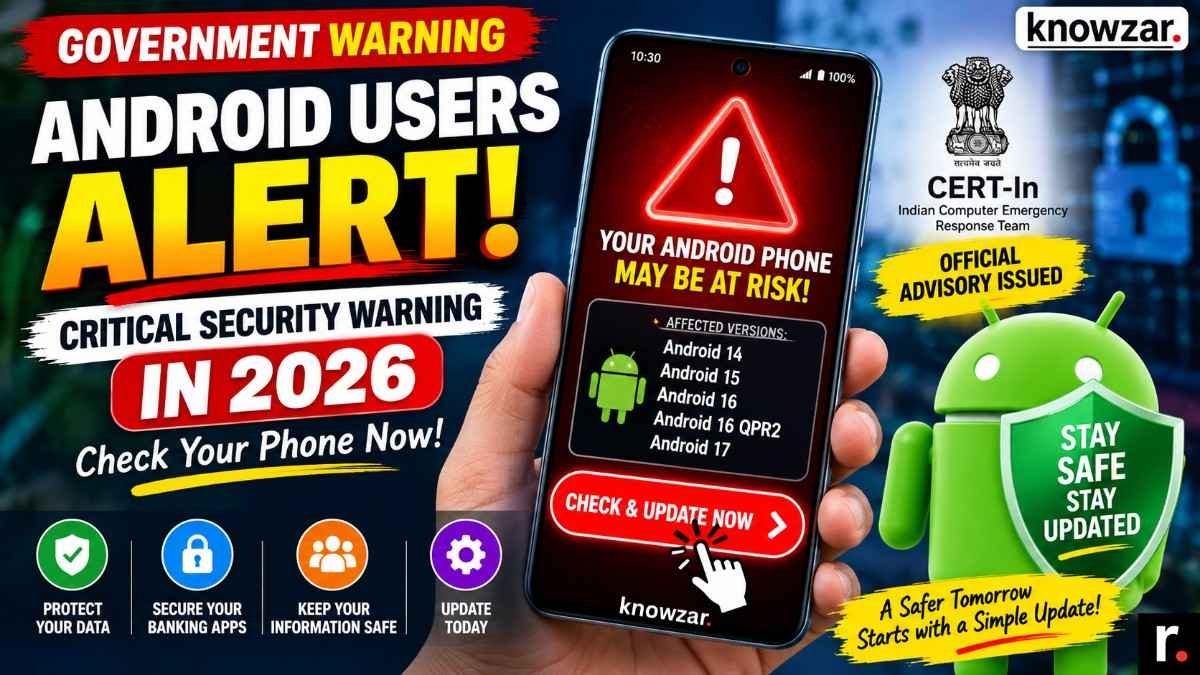
The Indian Computer Emergency Response Team (CERT-In) has issued a CRITICAL security advisory covering multiple vulnerabilities in Android. The warning affects Android 14, Android 15, Android 16, Android 16 QPR2 and Android 17.
According to CERT-In, successful exploitation of these vulnerabilities could potentially allow attackers to execute arbitrary code, gain elevated privileges, disrupt services or access sensitive information on an affected device.
The advisory, identified as CIVN-2026-0454, was issued on September 14, 2026.
The good news is that the appropriate security updates are available through Google’s Android security update process. So, if you use an affected Android version, don’t panic — check your security patch level and install the latest official update available for your phone.
This guide from Knowzar explains what the warning means, which Android versions are affected, how to check your phone and what you should do next.
Android Security Warning 2026: At a Glance
| Information | Details |
|---|---|
| Security issue | Multiple vulnerabilities in Android |
| Severity | Critical |
| Issued by | CERT-In |
| Advisory number | CIVN-2026-0454 |
| Issue date | September 14, 2026 |
| Affected versions | Android 14, 15, 16, 16 QPR2 and 17 |
| Potential risks | Remote code execution, privilege escalation, denial of service, sensitive information disclosure |
| Recommended action | Install the latest official security update |
| Target audience | Android users and organisations |
| Security bulletin | September 2026 Android Security Bulletin |
CERT-In recommends applying the appropriate updates provided by the vendor.
What Is the Android Security Warning About?
CERT-In’s latest vulnerability note covers multiple security flaws found across different parts of the Android operating system.
The affected components include:
- Android Runtime
- Documents UI
- MediaTek Framework components
- Media Codecs
- MediaProvider
- Telephonycore
- UWB
- Wi-Fi
adbd
CERT-In says successful exploitation could result in remote code execution, denial of service, privilege escalation and disclosure of sensitive information.
In simple terms, these are not ordinary software bugs that you can simply ignore.
Under certain circumstances, an attacker could potentially exploit an unpatched vulnerability to run malicious code, obtain additional system privileges or gain unauthorised access to sensitive information.
That is why CERT-In has assigned the advisory a CRITICAL severity rating.
Which Android Versions Are Affected?
According to the official CERT-In advisory, the affected Android versions are:
- Android 14
- Android 15
- Android 16
- Android 16 QPR2
- Android 17
However, there is an important point to understand.
Being on one of these Android versions does not automatically mean that your phone has been hacked.
The real question is whether your device has received the applicable security patches.
Google’s September 2026 Android Security Bulletin provides fixes for the vulnerabilities covered by the relevant security patch levels.
So before worrying about replacing your phone, check the Android security update installed on your device.
How to Check Your Android Security Patch
You can check your security update without installing any additional application.
Step 1: Open Settings
Open the Settings app on your Android smartphone.
Step 2: Open About Phone
Look for About phone.
Depending on your phone manufacturer, this may also appear under System or another settings section.
Step 3: Tap Android Version
Look for Android version and open it.
You should see information such as:
- Android version
- Android security update
- Google Play system update
- Build number
Step 4: Check Android Security Update
Find the entry called:
Android security update
Note the date shown there.
If your phone is still running an older security patch, check for a new software update.
How to Update Your Android Phone
If an update is available, install it using your phone’s official software-update system.
On many Android devices, the process is:
Settings → System → Software update
The exact menu can vary depending on the manufacturer.
You may also find the option under:
Settings → Software update
or
Settings → About phone → Software update
Follow these steps:
- Open Settings.
- Go to System or Software update.
- Tap Check for updates.
- Download the available official update.
- Install the update.
- Restart your phone if required.
- Check the security patch date again.
The September Android security updates address vulnerabilities covered by Google’s security bulletin.
Do not download an Android security update from an unknown website or an unofficial APK.
What If the September 2026 Update Has Not Arrived Yet?
Don’t panic if you don’t see the update immediately.
Android updates can be released at different times depending on the phone manufacturer, model, region and carrier.
For example, two phones running the same Android version may receive the same security update on different dates.
If an update isn’t available yet:
- Check for updates again later.
- Restart your phone.
- Make sure you have a stable internet connection.
- Check your manufacturer’s official support page.
- Check whether your phone is still within its security-support period.
- Contact the manufacturer’s support team if necessary.
Most importantly, never install an unofficial update just because you are worried about a security warning.
What Can These Android Vulnerabilities Do?
CERT-In identifies several potential consequences if the vulnerabilities are successfully exploited.1. Remote Code Execution
One of the most serious risks is remote code execution.
This type of vulnerability can potentially allow an attacker to execute malicious code on a vulnerable device remotely, depending on the particular flaw and attack conditions.
Google’s September security bulletin also identifies critical vulnerabilities involving remote code execution.
2. Privilege Escalation
Privilege escalation occurs when an attacker is able to obtain permissions beyond what they should normally have.
This can make an attack more serious because additional system privileges may provide access to protected parts of the operating system.
CERT-In specifically lists privilege escalation among the potential impacts of the vulnerabilities.
3. Sensitive Information Disclosure
Your smartphone can contain a huge amount of personal information.
This may include:
- Photos
- Messages
- Emails
- Documents
- Contacts
- Banking applications
- UPI applications
- Social media accounts
- Work information
- Authentication data
CERT-In warns that successful exploitation could potentially result in sensitive information disclosure.
That does not mean all of this information is automatically exposed. It means the vulnerabilities can create a risk of unauthorised information access if successfully exploited.
4. Denial of Service
Some of the vulnerabilities can also potentially result in denial-of-service conditions.
In simple terms, an exploited vulnerability could interfere with normal operation of a device component or service.
CERT-In includes denial of service among the potential impacts of the vulnerabilities in its advisory.
Why This Warning Matters for Indian Android Users
Android smartphones are used for much more than calls and social media.
For many people, a smartphone is now effectively a digital wallet, banking terminal, identity device and personal computer in one.
People use their phones for:
- UPI payments
- Internet banking
- Online shopping
- Government services
- Work
- Cloud storage
- Social media
- Personal photographs
- Important documents
That’s why keeping Android security patches up to date is important.
The latest CERT-In warning doesn’t mean that every Android phone is currently compromised. It means that known vulnerabilities exist and users should apply the appropriate security updates.
Do You Need to Change Your Android Phone?
No — not simply because of this warning.
If your phone is running Android 14, 15, 16, 16 QPR2 or 17, your first step should be to:
Check → Update → Restart → Verify
If your manufacturer provides the applicable security update, install it.
However, there is another situation to consider.
If your phone is very old and the manufacturer has stopped providing security updates, you may eventually want to consider upgrading to a device that still receives regular security patches.
A phone that no longer receives security updates can remain exposed to newly discovered vulnerabilities even after newer models receive fixes.
What If My Phone Is No Longer Getting Security Updates?
This is especially important for users with older Android phones.
First, check:
Settings → About phone → Android version
Then check:
Settings → System → Software update
If there is no update, visit your phone manufacturer’s official support website and check the security-support information for your exact model.
If the phone has reached the end of its security-support period, there may simply be no newer patch available.
In that case, upgrading to a supported device can be a better long-term security decision.
Should You Stop Using Banking or UPI Apps?
No need to panic.
The CERT-In warning does not say that every affected Android phone has already been hacked.
Instead, the advisory identifies vulnerabilities that could potentially be exploited.
The sensible approach is to update your phone and continue following normal cybersecurity precautions.
For banking and UPI users, make sure you:
- Keep Android updated.
- Keep banking and payment apps updated.
- Never share your OTP.
- Never share your UPI PIN.
- Don’t install unknown APK files.
- Don’t click suspicious links.
- Use a secure screen lock.
- Keep Google Play Protect enabled.
The security warning is a reason to update your device, not a reason to panic.
What Is an Android Security Patch Date?
Many users see something like:
Android security update: September 2026
but don’t understand what it means.
The security patch date indicates the security fixes installed on your device.
Google publishes Android security bulletins detailing vulnerabilities and their corresponding fixes. CERT-In’s latest advisory directs users to Google’s September 2026 Android Security Bulletin for the applicable updates.
So when checking your phone, don’t look only at the Android version.
Your security patch level is equally important.
Android 14, 15, 16 or 17: What Should You Do?
If you’re running one of the Android versions mentioned in the CERT-In advisory, follow the same basic process.
Android 14
Check for the latest available security update.
Android 15
Check for the latest available security update.
Android 16
Check for the latest available security update.
Android 16 QPR2
Check for the latest available security update.
Android 17
Check for the latest available security update.
The Android version alone doesn’t tell you whether the relevant security fixes are installed.
Check your security patch level.
A 2-Minute Android Security Check
You can check your phone right now.
Check 1
Open:
Settings → About phone → Android version
Check 2
Find:
Android security update
Check 3
Go to:
Settings → System → Software update
Check 4
Look for an available update.
Check 5
Install the official update if one is available.
Check 6
Restart your phone if required.
Check 7
Check your security patch date again.
That’s all.
You don’t need to download a third-party “phone security checker” simply to find your Android security patch level.
Is Your Android Phone Already Hacked?
Not necessarily.
This is one of the most important things to understand about the warning.
CERT-In’s advisory identifies vulnerabilities that could potentially be exploited. It does not say that every Android phone running an affected version has already been compromised.
The agency lists potential consequences including:
- Remote code execution
- Privilege escalation
- Denial of service
- Sensitive information disclosure
So don’t assume that your phone has been hacked simply because it appears on the affected-version list.
Check your update status first.
How to Make Your Android Phone Safer
Installing the latest security update is the most important step, but there are several other things you should do.
Keep Android Updated
Install official security updates as soon as they become available.
Keep Google Play Protect Enabled
Google Play Protect provides protection against potentially harmful applications.
Avoid Unknown APK Files
Don’t install applications downloaded from random websites simply because they promise free premium features.
Be Careful With Links
Never assume a link is safe just because it was sent by someone you know.
Review App Permissions
Check which applications have access to your camera, microphone, contacts, location, SMS and other sensitive information.
Use a Strong Screen Lock
Use a secure PIN, password or supported biometric authentication.
Keep Important Apps Updated
Banking, UPI, browser, messaging and email applications should also be kept up to date.
What Android Users Should Do Today
If you use an Android smartphone, there are only a few things you need to remember.
1. Check your Android version.
2. Check your Android security patch date.
3. Check for software updates.
4. Install the latest official security update available.
5. Restart your phone if required.
6. Keep Google Play Protect enabled.
7. Avoid suspicious apps, APKs and links.
The latest CERT-In advisory specifically recommends applying the appropriate vendor updates.
Final Word
The latest Android security warning is serious, but there is no reason to panic.
CERT-In has issued a CRITICAL advisory covering multiple vulnerabilities affecting Android 14, 15, 16, 16 QPR2 and 17. The vulnerabilities could potentially allow remote code execution, privilege escalation, denial of service or disclosure of sensitive information.
The most important thing you can do is simple:
Check your Android security patch today.
Open your phone’s Settings, check the security update date and install the latest official update available for your device.
Don’t download unofficial security patches, don’t click suspicious links and don’t assume that your phone has already been hacked.
As Knowzar always recommends with security-related issues, the best protection starts with keeping your software updated and being careful about what you install and what you click.
Your smartphone may contain your banking information, UPI access, personal photographs, documents, emails and private conversations.
A few minutes spent checking its security today can be well worth it.
Frequently Asked Questions
Which Android versions are affected by the latest CERT-In warning?
The CERT-In advisory lists Android 14, Android 15, Android 16, Android 16 QPR2 and Android 17.
Who issued the Android security warning?
The warning was issued by CERT-In (Indian Computer Emergency Response Team) through vulnerability advisory CIVN-2026-0454 on September 14, 2026.
How serious is the Android security warning?
CERT-In has assigned the vulnerabilities a CRITICAL severity rating.
How do I check my Android security patch?
Go to Settings → About phone → Android version and look for Android security update.
How do I update my Android phone?
Go to Settings → System → Software update or the equivalent software-update section provided by your phone manufacturer.
Does this mean my Android phone has been hacked?
No. The advisory identifies vulnerabilities that could potentially be exploited. It does not mean every affected device has already been compromised.
Can these vulnerabilities expose personal information?
Yes. CERT-In lists sensitive information disclosure among the potential impacts of successful exploitation.
Can these vulnerabilities allow hackers to remotely control a phone?
Some of the vulnerabilities can potentially enable remote code execution, depending on the specific vulnerability and attack conditions.
What should I do if I haven’t received the update?
Check again later, verify your manufacturer’s official support information and make sure your phone is still receiving security updates. Do not install unofficial update files.
Do I need to buy a new phone?
Not necessarily. If your phone is still receiving security updates, install the available update. Consider upgrading if your device has permanently stopped receiving security updates.
Should I stop using UPI or banking apps?
There is no need to stop using them solely because of this warning. Update your phone, keep your banking apps updated and follow normal security precautions.
Should I download a security app?
You don’t need a third-party application just to check your Android security patch. Use your phone’s built-in settings and official update mechanism.